
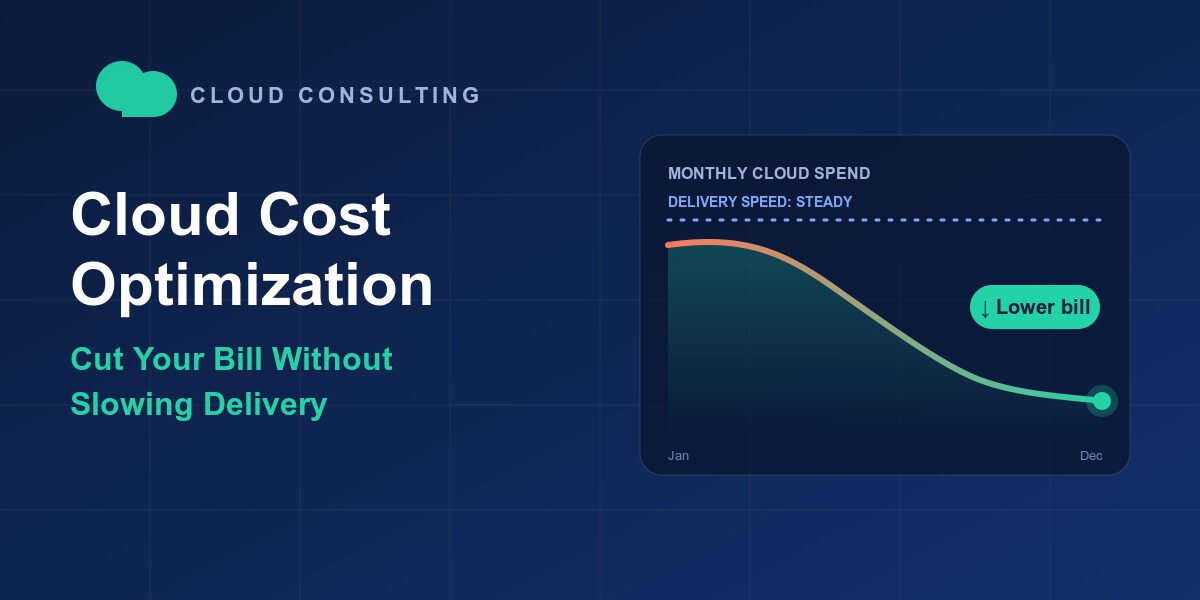
The invoice arrives and it is well above the forecast. Finance wants answers. Engineering gets pulled off the roadmap to explain which services drove the jump, and by the end of the week someone proposes a freeze on new provisioning and an approval ticket for every new environment.
That reflex is understandable, but it trades one problem for another. Slowing the teams the cloud was meant to accelerate rarely ends well, and the savings are often smaller than expected. Flexera’s State of the Cloud research has consistently found that organizations believe more than a quarter of their cloud spend is wasted, which means the opportunity is real.
A better path exists: see where the money goes, fix the obvious waste, and build guardrails that work in the background. Done well, cloud cost optimization is a delivery enabler, not a brake on it. Let’s start with why bills climb in the first place.
Why Cloud Cost Optimization Is a Delivery Problem, Not Just a Finance Problem
When spend spikes, the first instinct is to treat cloud cost optimization as an accounting issue. In practice, almost every dollar on your bill traces back to an engineering decision: an instance size, a storage class, a retry loop, a forgotten test environment. That is why finance alone cannot fix it, and why blunt cuts tend to backfire.
The real cost of “just turn it off”
Emergency cuts cause outages, rework, and lasting distrust between engineering and finance. They also arrive at the worst moment, usually mid-release, when nobody has time to check what a resource actually does. Savings that come from breaking things are rarely savings at all.
Three root causes behind most overruns
- Speed over spend: Engineers can provision in minutes, but nothing forces a decommission.
- No ownership: Shared accounts and untagged resources mean no team feels the bill.
- Pricing complexity: On-demand, commitments, Spot, egress, and storage tiers change the math for every workload.
What good looks like
Cost becomes a design input, discussed next to latency and security while the feature is being built, not after the invoice lands. The FinOps Foundation’s principles capture this well: teams take ownership of their usage, and decisions are driven by business value. Ownership, though, starts with knowing where the money actually goes.
Where Your Cloud Money Really Goes: 7 Common Sources of Waste
Before choosing tactics, map the leaks. The same handful of patterns shows up in nearly every environment, whether you run on AWS, Azure, Google Cloud, or a mix. The table below lists the usual suspects and the quickest fix for each.
| Waste source | What it looks like | Fast fix |
|---|---|---|
| Idle or orphaned resources | Unattached volumes, old snapshots, stopped-but-billed instances | Weekly cleanup job and expiry tags |
| Oversized compute | CPU consistently under 20-30% | Move to the next size down |
| Always-on non-production | Dev and test running nights and weekends | Schedule start and stop |
| Unoptimized storage | Hot-tier data nobody reads | Lifecycle policies and tiering |
| Data transfer and egress | Cross-region and cross-cloud traffic | Co-locate services, add caching |
| Unused commitments | Reserved capacity that no longer matches usage | Review coverage monthly |
| Overprovisioned Kubernetes | Requests and limits far above real usage | Tune requests, enable autoscaling |
Most teams recover meaningful savings from just three or four of these rows. The AWS Well-Architected Cost Optimization Pillar is a useful vendor reference if you want a structured checklist to work through. The next step is deciding once the leaks are visible which fixes to make first.
Cloud Cost Optimization Strategies That Cut Spend Without Cutting Speed
The four moves below are ordered deliberately. Each one makes the next one cheaper and safer.
1. Rightsize and schedule first
Start with the easy wins. Native tools such as AWS Compute Optimizer, Azure Advisor, and Google Cloud Recommender flag oversized instances based on real utilization. Pair that with automated start and stop schedules for development and test environments, which often sit idle for most of the week.
2. Commit only after you have rightsized
Once usage is lean, match steady baseline workloads to Savings Plans or Reserved Instances. Use Spot capacity for fault-tolerant batch jobs, and keep on-demand for unpredictable spikes. The order matters: committing before rightsizing locks in waste at a discount.
3. Fix storage and data transfer
These lines are easy to overlook. Lifecycle policies that move cold data to cheaper tiers, compression, caching, and keeping chatty services in the same region can shrink a surprisingly large share of the bill without touching application code.
4. Architect for elasticity
Autoscaling, serverless functions for spiky workloads, containers for density, and managed services where they cost less than self-run alternatives all let spend follow demand instead of peak capacity.
Not sure which move pays off first? A short architecture and spend review can rank them by savings and effort. AIVeda’s cloud and platform consulting team begins with exactly that kind of assessment.
These fixes only last when somebody owns the numbers every week.
Cloud Cost Management: Turning FinOps Into a Weekly Habit
FinOps is the operating model; the daily mechanics are what make it real. The FinOps Foundation offers maturity models and practitioner resources, but a lean version fits on one checklist:
- Tag everything by team, product, and environment, and enforce it at deploy time.
- Show teams their own spend through showback or chargeback.
- Set budgets and anomaly alerts and route them to the owning team’s channel.
- Track unit economics such as cost per customer or per 1,000 API calls, so growth is separated from waste.
- Hold a weekly 30-minute review with engineering, finance, and product.
Native tooling, including Google Cloud’s billing reports and Microsoft Cost Management, covers much of this. The weak spot is usually data: when billing exports, tags, and usage metrics live in different systems, dashboards cannot be trusted. Clean pipelines come first, and AIVeda’s data services and its guide to data engineering consulting explain what that groundwork involves.
With visibility in place, the next question is how to act on it without slowing anyone down.
Protecting Delivery Speed During Cloud Cost Optimization
The fastest way to lose engineering goodwill is to make every deployment wait on a cost approval. The alternative is to automate the policy so routine decisions never need a human.
- Policy-as-code blocks untagged resources and oversized instance types by default.
- Golden-path templates give teams pre-approved, cost-efficient defaults for common stacks.
- Cost estimates in pull requests surface the price of a change while it is still cheap to change.
- Team budgets with alerts, not hard stops, keep production safe.
Equally important is what you leave alone. Protect SLO-critical paths, redundancy for tier-one systems, and observability. Optimize around them, not through them. Then prove the approach works by tracking deployment frequency and lead time right beside cloud spend. If velocity holds while the bill drops, you have your answer.
One workload category deserves special attention, because it is growing faster than any other.
Keeping the AI and Data Workloads Affordable
GPU instances cost far more per hour than standard compute, and an idle GPU bills just like a busy one. As teams add language models, analytics, and agents, these workloads can quietly become the largest line item. Cloud cost optimization for AI follows the same logic as everything above, with a few specific levers:
- Choose the smallest model that does the job; narrow tasks rarely need a frontier model.
- Batch and schedule training runs, and shut down idle GPU nodes.
- Cache repeated inference requests.
- Compare hosting options for steady, high-volume inference.
That last point matters. For predictable workloads, running models inside your own cloud account or on-premises can be more cost-stable than per-call pricing, which a vendor can change at any time. AIVeda’s overview of enterprise AI deployment models and its private LLM deployment page walk through the trade-offs, and its on-premise LLM deployment guide covers hardware and cost considerations.
Knowing the levers is useful. Turning them into a schedule is what actually saves money.
Your 30-60-90 Day Plan to Start Saving
Here is a simple sequence that works for most teams.
| Window | Focus | Outcome |
|---|---|---|
| Days 1-30 | Tagging, dashboards, idle cleanup, non-production schedules | Visibility and first quick wins |
| Days 31-60 | Rightsizing, storage tiering, commitment analysis | Lower baseline, commitments sized correctly |
| Days 61-90 | Guardrails, unit-cost KPIs, weekly review cadence | Savings that stay saved |
Track savings as a running total so leadership can see the program’s return. Some teams run this plan entirely in-house. Others reach a point where outside help is faster.
When Cloud Cost Optimization Services Make Sense and How AIVeda Helps
In-house work is the right default when you have spare engineering capacity and clean data. It stops being practical in a few common situations.
AIVeda is an engineering-led team that builds and runs cloud platforms and private AI, so recommendations come from people who also have to operate the result. Engagements can start with a costed roadmap through AI consulting and strategy, move into delivery through deployment and MLOps, and continue with support from the same engineers. Work runs inside your own cloud account and security controls, you own what gets built, and phases are priced at a fixed fee before you commit.
If you want proof before a larger commitment, AIVeda’s 4-week pilot is built for that: one goal, one agreed metric, and a written go or no-go at the end. The AI proof-of-concept playbook explains how it works. Whether the focus is trimming today’s bill or speeding up cloud cost optimization ahead of a major AI rollout, a short scoping conversation is an easy first step.
Conclusion
The pattern is simple: see the spend, fix the leaks, protect the pace. Cloud cost optimization works when it becomes a continuous habit built into how teams ship, not a one-time cleanup after a painful invoice. Start with visibility this week, pick two quick wins from the waste table, and set up guardrails before the next release cycle. If you want a partner for any of it, talk to the team at AIVeda and ask for a spend and architecture review.
Frequently Asked Questions
How much can we realistically save by optimizing cloud spend?
Most teams find 20-30% savings in the first quarter by removing idle resources, rightsizing, and applying commitment discounts. Results of cloud cost optimization vary by workload maturity, so validate against your own billing data.
Can we cut cloud spend without slowing our engineers down?
Yes. Automate guardrails like budgets, tagging policies, and anomaly alerts so engineers keep shipping while waste is caught automatically, rather than adding manual approvals or review gates to every deployment.
Savings Plans, Reserved Instances, or Spot: which fits which workload?
Use commitments for steady baseline workloads, Spot for fault-tolerant batch jobs, and on-demand for unpredictable spikes. Always commit after rightsizing, otherwise you lock in waste at a discount.
What is the difference between FinOps and cloud cost management?
Managing spend means tracking and controlling it day to day. FinOps is the broader cross-team practice where engineering, finance, and product share accountability for cloud value.
How often should we review cloud spend?
Review anomalies daily through automated alerts, team-level spend weekly, and commitments and architecture monthly or quarterly. Frequent, small reviews prevent the surprise invoices that trigger disruptive emergency cost-cutting.
When should we use cloud cost optimization services instead of doing it in-house?
Consider outside help when spend is growing faster than revenue, tagging is incomplete, or your team lacks bandwidth. An external partner brings benchmarks, tooling, and capacity without pausing roadmap work.
Why are AI workloads so expensive in the cloud?
GPU instances cost far more per hour than standard compute, and idle GPUs still bill. Scheduling, right-sized models, and hosting steady inference privately can lower spend significantly.